Why Google Maps Is One of the Most Underrated Prospecting Channels
Unlike many platforms where profiles are carefully curated or inflated, Google Maps reflects how businesses operate in the real world.
Listings are shaped by customer behavior. Reviews accumulate over time. Photos show actual locations, not polished marketing shots. Updates signal whether a business is active or neglected. Even small details — like response patterns or recent activity — tell you something about how a business is run.
That makes Maps uniquely valuable for prospecting.
You’re not guessing whether a company exists. You’re seeing evidence that people are finding it, visiting it, and interacting with it right now.
For anyone doing outreach, that context matters.
The Problem Isn’t Discovery — It’s Follow-Through
Finding businesses on Google Maps is easy. Qualifying them consistently is not.
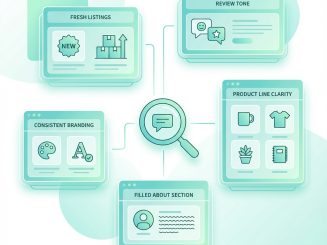
Most workflows break down in the same places. You open listing after listing, mentally noting things that feel important — service categories, ratings, location, website quality, activity level. In the moment, it’s clear which businesses feel promising and which don’t.
But once you move on, that clarity fades.
Context stays trapped in your head. Comparisons become fuzzy. Notes, if they exist at all, are incomplete. What started as confident judgment turns into guesswork when it’s time to follow up or prioritize outreach.
Google Maps gives you the signals.
It doesn’t help you keep them.
Why Spreadsheets and Scrapers Fall Short
Some teams try to solve this by copying data into spreadsheets or relying on bulk extraction tools.
Spreadsheets create structure, but they strip away nuance. The signals that mattered while browsing don’t always translate cleanly into rows and columns. Important details get reduced to checkboxes, and subtle differences disappear.
Bulk tools solve a different problem entirely. They optimize for volume, not judgment. When everything is extracted automatically, you often spend more time filtering than deciding, and the original context that made a lead interesting is already gone.
Neither approach fully supports how people actually research on Google Maps.
The Real Opportunity: Capturing Judgment While Browsing
The most effective Google Maps workflows don’t replace browsing. They reinforce it.
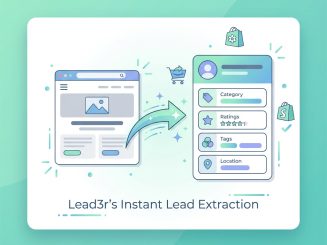
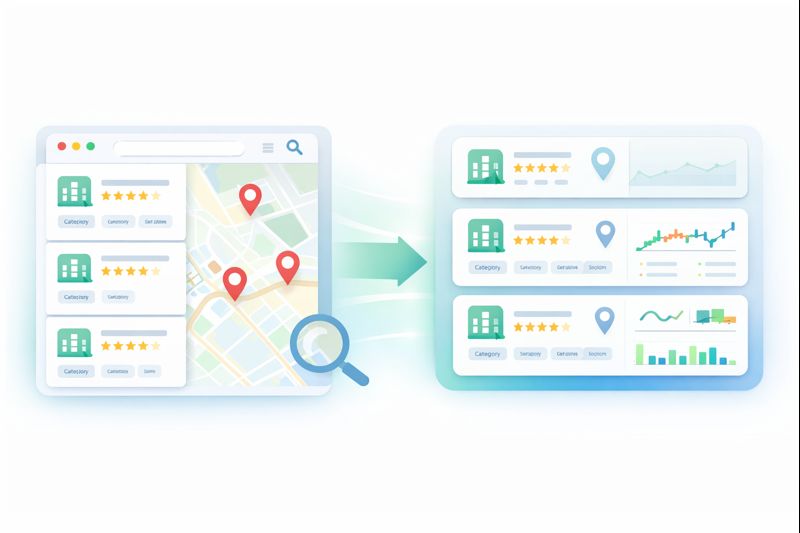
Instead of asking you to research first and organize later, the goal is to capture what you already notice — at the moment it matters — and turn it into something structured and reusable.
When that happens, Google Maps stops being just a discovery tool and becomes a qualification engine.
You’re no longer relying on memory. You’re not re-checking the same listings. You’re not second-guessing why a business made the cut. Every decision is preserved, alongside the data that supported it.
That’s where consistency starts to scale.
Who Google Maps Prospecting Works Best For
Google Maps isn’t for every type of outbound strategy, but when it fits, it’s hard to beat.
It works especially well for:
- Local and regional service businesses
- Agencies targeting SMBs
- Consultants and operators selling high-trust services
- Anyone who cares more about relevance than raw volume
In these cases, a smaller list of well-qualified leads almost always outperforms a massive list of loosely filtered ones.
Turning Browsing Into a Repeatable System
The advantage of Google Maps has never been about finding businesses. It’s about seeing how they actually operate.
The teams that get the most out of it are the ones who turn that visibility into a repeatable process — one that preserves context, reduces friction, and makes outreach decisions easier instead of harder.
When browsing and qualification happen together, prospecting stops feeling like research and starts feeling like progress.
Turn Google Maps Browsing Into Qualified Leads
Capture the signals you already see, structure them instantly, and decide who’s worth contacting — without scraping or bulk automation.
Install Lead3r and extract fully enriched Google Maps profiles in one click.
No credit card required
Latest Articles
Stay up to date with practical guides on extracting leads, qualifying prospects, and sending smarter outreach. Every post is written for freelancers, creators, and operators who want faster, clearer prospecting workflows.